
Emulator tooling: Difference between revisions
From CPCWiki - THE Amstrad CPC encyclopedia!
More actions
No edit summary |
No edit summary |
||
| Line 1: | Line 1: | ||
UI screenshots showcasing the developer tools available in CPC emulators. | UI screenshots showcasing the developer tools available in CPC emulators. | ||
= ACE = | == ACE == | ||
<gallery> | <gallery> | ||
Morphos-ace-1.22-z80.png|Z80 | Morphos-ace-1.22-z80.png|Z80 | ||
| Line 16: | Line 16: | ||
</gallery> | </gallery> | ||
= ACE-DL = | == ACE-DL == | ||
<gallery> | <gallery> | ||
Trace.png|Z80 | Trace.png|Z80 | ||
| Line 34: | Line 34: | ||
</gallery> | </gallery> | ||
= AMSpiriT = | == AMSpiriT == | ||
<gallery> | <gallery> | ||
AMSpiriTDebugger.jpg|Debugger (unreleased) | AMSpiriTDebugger.jpg|Debugger (unreleased) | ||
</gallery> | </gallery> | ||
= Caprice Forever = | == Caprice Forever == | ||
<gallery> | <gallery> | ||
Caprice Forever - CPU editor.png|Z80 | Caprice Forever - CPU editor.png|Z80 | ||
| Line 60: | Line 60: | ||
</gallery> | </gallery> | ||
= cpcec-gtk = | == cpcec-gtk == | ||
<gallery> | <gallery> | ||
Z80-debugger.png|Z80 | Z80-debugger.png|Z80 | ||
| Line 69: | Line 69: | ||
</gallery> | </gallery> | ||
= JavaCPC = | == JavaCPC == | ||
<gallery> | <gallery> | ||
JavaCPC - Debugger.png|CPU and memory | JavaCPC - Debugger.png|CPU and memory | ||
| Line 76: | Line 76: | ||
</gallery> | </gallery> | ||
= MacCPC = | == MacCPC == | ||
<gallery> | <gallery> | ||
Maccpc 2.jpg|CPU and memory | Maccpc 2.jpg|CPU and memory | ||
| Line 82: | Line 82: | ||
</gallery> | </gallery> | ||
= Tiny Emus = | == Tiny Emus == | ||
<gallery> | <gallery> | ||
TinyCPC - CPU Debugger.png|Z80 | TinyCPC - CPU Debugger.png|Z80 | ||
| Line 97: | Line 97: | ||
</gallery> | </gallery> | ||
= WinAPE = | == WinAPE == | ||
<gallery> | <gallery> | ||
Debugger.png|CPU and memory | Debugger.png|CPU and memory | ||
Revision as of 17:27, 8 July 2024
UI screenshots showcasing the developer tools available in CPC emulators.
ACE
-
 Z80
Z80 -
 Disassembler
 -
 Symbols
 -
 Breakpoints
 -
 Memory
 -
 CRTC
CRTC -
 Palette
 -
 PSG
PSG -
 ASIC
ASIC -
 Hardware sprites
 -
 DMA
DMA


ACE-DL
-
 Z80
Z80 -
 Disassembler
 -
 Breakpoints
 -
 Memory
 -
 Graphics explorer
 -
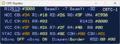 CRTC
CRTC -
 Gate Array
 -
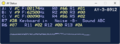 PSG
PSG -
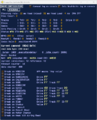 FDC
FDC -
 Disk viewer
 -
 Files manager
 -
 ASIC
ASIC -
 DMA
DMA -
 BASIC debugger


AMSpiriT
-
 Debugger (unreleased)

Caprice Forever
-
 Z80
Z80 -
 Disassembler
 -
 Breakpoints
 -
 Memory
 -
 Graphics explorer
 -
 CRTC
CRTC -
 Gate Array
 -
 PSG
PSG -
 FDC
FDC -
 Disk viewer
 -
 Files manager
 -
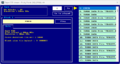 Tape viewer
 -
 ASIC
ASIC -
 Hardware sprites
 -
 Printer monitor
 -
 BASIC debugger
 -
 Code explorer


cpcec-gtk
-
 Z80
Z80 -
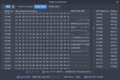 Memory inspector
 -
 Memory visualizer
 -
 CRTC and palette
 -
 ASIC
ASIC


JavaCPC
-
 CPU and memory
 -
 Chipset
 -
 Graphics explorer


MacCPC
-
 CPU and memory
 -
 Chipset


Tiny Emus
-
 Z80
Z80 -
 Breakpoints
 -
 Memory
 -
 Memory map
 -
 Memory heatmap
 -
 CRTC
CRTC -
 Gate Array
 -
 PPI
PPI -
 PSG
PSG -
 FDC
FDC -
 Floppy drive


WinAPE
-
 CPU and memory
 -
 Breakpoints
 -
 Graphics explorer
 -
 Chipset
 -
 Files manager


